Astrocal

Don't build scheduling.
Ship it.

Add booking to your app, website, or AI agent with one line of code or a few API calls. Calendar sync, Stripe payments, and a whitelabel widget. The unglamorous parts, done.*

API-First

REST API with an OpenAPI 3.1 spec. Every endpoint documented, typed, and consistent. Scheduling becomes one more service you call.

MCP-Native

AI agents get eight ready-made tools to check availability, book, reschedule, and cancel. No glue code.

True Whitelabel

Your brand, your domain, your booking page. Not someone else's. Themeable widgets, zero Astrocal branding.*

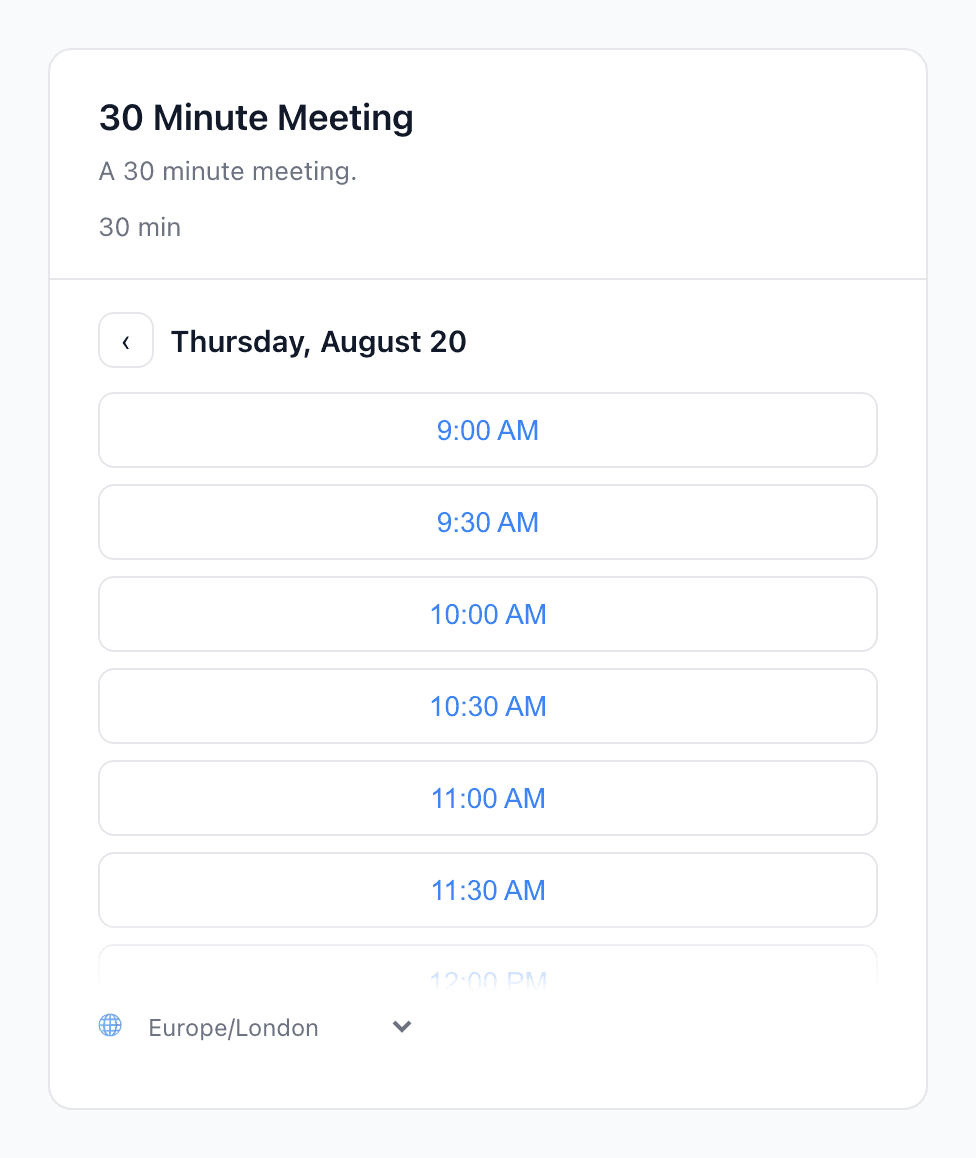
Drop-in booking widget

One script tag, a complete booking experience on your own site. No bouncing users to someone else's page. Fully themeable, keyboard accessible, zero Astrocal branding.*

Fully themeable via CSS variables
--astrocal-primary: #2563eb;
--astrocal-heading: #2563eb;
--astrocal-radius: 8px;
--astrocal-font: 'Inter', sans-serif;

...and background, text, borders, shadows, and more

import { open } from "@astrocal/widget";

open({
  eventTypeId: "d4e5f6a7-...",
  mode: "inline",
  target: "#booking-container",
});
  • Theme with CSS custom properties: colors, fonts, border radius
  • Shadow DOM isolation: no style conflicts with your site
  • Inline embed or popup overlay, your choice
  • Keyboard navigable with full ARIA support

Or build on the scheduling API

Call the REST API directly for a fully custom booking flow. Check availability, create bookings, and handle confirmations your way.

Check availability
GET /v1/availability
?event_type_id=evt_abc123
&start=2026-03-01
&end=2026-03-07
&timezone=America/New_York
{
  "slots": [
    { "start_time": "2026-03-01T09:00:00Z",
      "end_time":   "2026-03-01T09:30:00Z" },
    { "start_time": "2026-03-01T09:30:00Z",
      "end_time":   "2026-03-01T10:00:00Z" },
    ...
  ]
}
Create a booking
POST /v1/bookings
{
  "event_type_id": "d4e5f6a7-...",
  "start_time": "2026-03-01T09:00:00Z",
  "invitee_name": "Jane Smith",
  "invitee_email": "jane@smith.com",
  "invitee_timezone": "America/New_York"
}

// 201 Created
{
  "id": "a1b2c3d4-...",
  "status": "confirmed",
  "cancel_token": "tok_..."
}

Three steps to live bookings

From zero to accepting bookings in minutes, not the months it takes to build.

1

Connect your calendar

One-click calendar sync with Google, Outlook, and CalDAV. Free/busy checks catch conflicts, and a database-level constraint makes double-bookings impossible.

2

Define your availability

Set weekly hours, buffer times, and meeting durations. The availability engine handles timezone math, booking caps, and minimum notice.

3

Start booking

Use the REST API, MCP server, or embeddable widget. Bookings sync to your calendar instantly.

Everything you need to ship scheduling

The plumbing, handled: webhooks, payments, emails, and calendar sync, production-ready out of the box.

Calendar Sync

Real-time two-way sync with Google, Outlook, and CalDAV. Free/busy checks prevent conflicts. Events created automatically.

Webhooks

HMAC-signed webhook events for bookings, cancellations, and reschedules. Automatic retries with exponential backoff.

Email Notifications

Confirmation, reminder, and cancellation emails with .ics attachments, sent from your own FROM address.

Stripe Payments

Collect payments via Stripe Connect in 135+ currencies. Automatic refunds on eligible cancellations. You keep the revenue.

Cancel & Reschedule

Self-service cancel and reschedule links for attendees. Token-based auth, no login required.

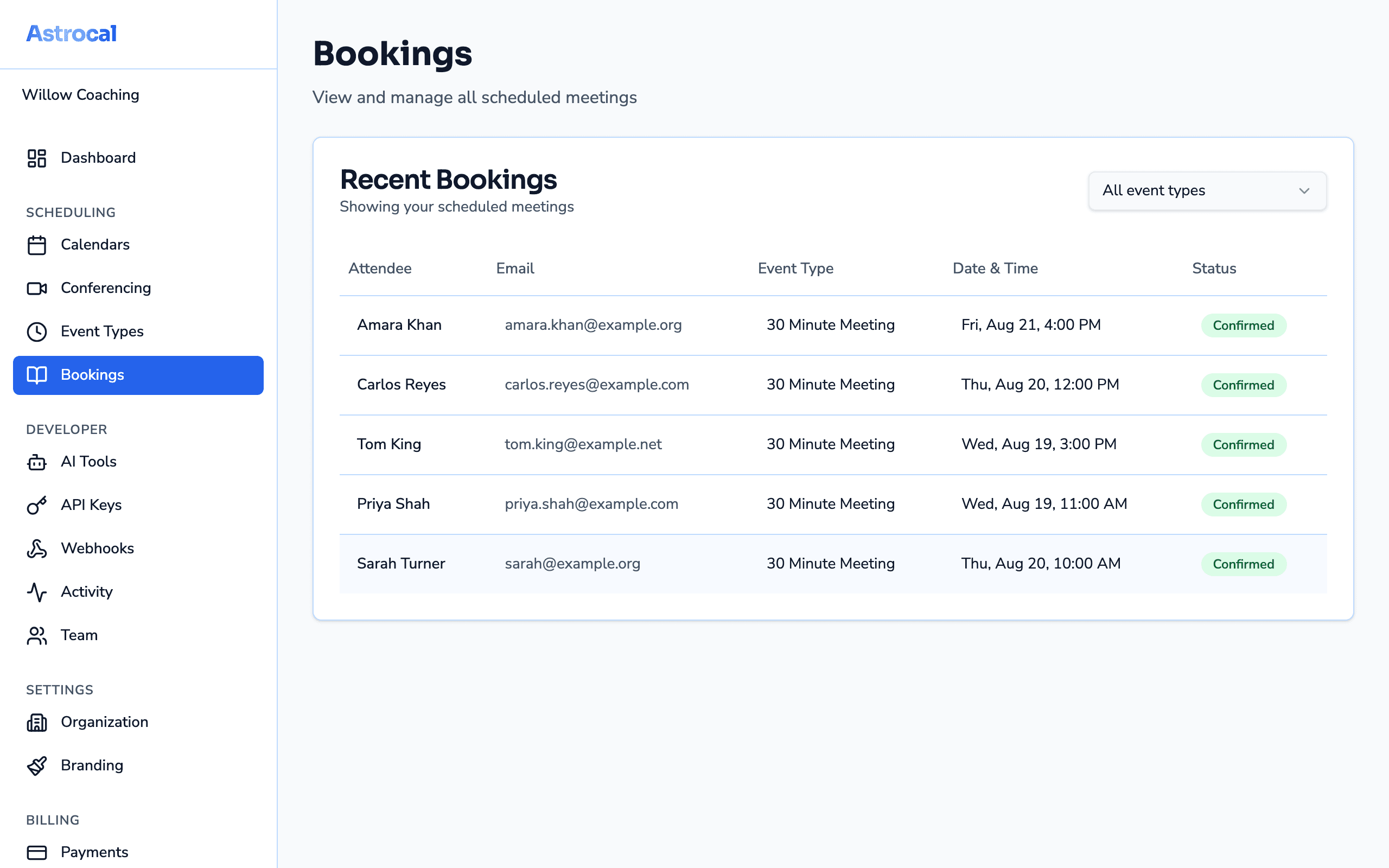
Developer Dashboard

Manage API keys, calendars, event types, and bookings from a clean dashboard. Activity logs and webhook delivery tracking.

Ship scheduling today

Your roadmap has better things on it. Free account, first API call in under 5 minutes. No credit card, no per-seat pricing.

* Zero branding available on paid plans.